
adapting it support for hybrid employees
The way we work has fundamentally changed. For many, the office is no longer the sole epicenter of productivity. This shift, accelerated by recent global events and evolving employee expectations, brings new complexities to how organizations operate, particularly concerning technology and employee support. IT departments, historically centered around a physical headquarters, now face the challenge of supporting a workforce that is distributed across homes, coffee shops, and coworking spaces. Adapting IT support for hybrid employees isn’t just about offering remote access; it’s about ensuring continuity, security, and equitable experience, no matter where work happens.
Key Takeaways
- IT support must shift from a headquarters-centric model to one that serves employees wherever they work.
- Hybrid work requires IT to ensure consistent security and access across home offices, coworking spaces, and coffee shops.
- Equitable IT support means all employees, regardless of location, receive the same level of service and responsiveness.
- Adapting IT support is not just about enabling remote access but about building infrastructure for smooth continuity.
As Mohamed Khaled, Hotdesk’s founder, often observes, people move more than systems expect. The friction arises not just from logistical hurdles but from the social and emotional cost of starting over in every new environment. This is the core insight driving the need for modern IT support strategies: creating a consistent, reliable infrastructure that travels with the employee, fostering a sense of belonging and enabling performance without requiring a reset of essential services.
What Hybrid Work Demands From Modern IT Support
The traditional IT support model, built for a singular, centralized office, is no longer sufficient. When employees are spread across various locations, the familiar help desk console in a dedicated IT room doesn’t cover the full scope of needs. This new reality requires a strategic reorientation, moving from a geographically bound service to a distributed, accessible, and proactive support framework. The assumption that IT issues can be resolved by walking down the hall or by a technician physically present at a desk is obsolete. Instead, IT teams must consider how to deliver consistent service and support without the physical proximity that once defined it. This necessitates a fundamental rethinking of processes, tools, and team structures to meet the demands of a flexible workforce.
Key Takeaway: Adapting IT support for hybrid employees means shifting from a location-centric model to a user-centric one, prioritizing consistent access, security, and responsiveness regardless of an employee’s physical location.
From Centralized Help Desk to Distributed Support
For years, IT support operated on a hub-and-spoke model, with a central help desk serving employees within the office. This approach relied on physical presence for troubleshooting, hardware deployment, and direct user interaction. Still, with the widespread adoption of hybrid and remote work, this model faces significant limitations. Employees working from home or other remote locations cannot easily access physical support, leading to longer resolution times and frustration. The challenge lies in extending support capabilities beyond the office walls, ensuring that an employee’s experience with IT services remains consistent, whether they are at their kitchen table or in a designated workspace.
This transition requires IT teams to embrace tools and methodologies that enable remote troubleshooting, virtual assistance, and the proactive management of devices and software. The focus shifts from reacting to issues within a controlled environment to anticipating and resolving problems in diverse, often less controlled, settings. Successfully bridging the gap between centralized expertise and distributed users is paramount for maintaining productivity and employee satisfaction in a hybrid work setup.
The Core Questions IT Teams Must Answer
To effectively support a hybrid workforce, IT departments must confront several fundamental questions about their strategy and capabilities. Foremost among these is: How can we guarantee the same level of service and responsiveness for remote employees as for those in the office? This question probes the equity of support delivery. Another critical inquiry is about security: How do we maintain cybersecurity when our network perimeter is no longer defined by the office walls but by numerous home networks and public Wi-Fi hotspots? The complexity of device management also surfaces: How do we efficiently provision, manage, and secure a diverse fleet of devices, including personal ones, used by employees across various locations?
IT teams need to ask: What communication and collaboration tools are essential for enabling teamwork among a dispersed workforce, and how can we ensure they are integrated and supported effectively? Finally, considering the shift towards flexible work, teams must ask: How can we equip employees with the knowledge and resources they need to resolve common issues independently, thereby reducing the burden on the central IT team? Addressing these questions forms the bedrock of a successful strategy for adapting IT support for hybrid employees.
Building the Technology Foundation for Hybrid IT
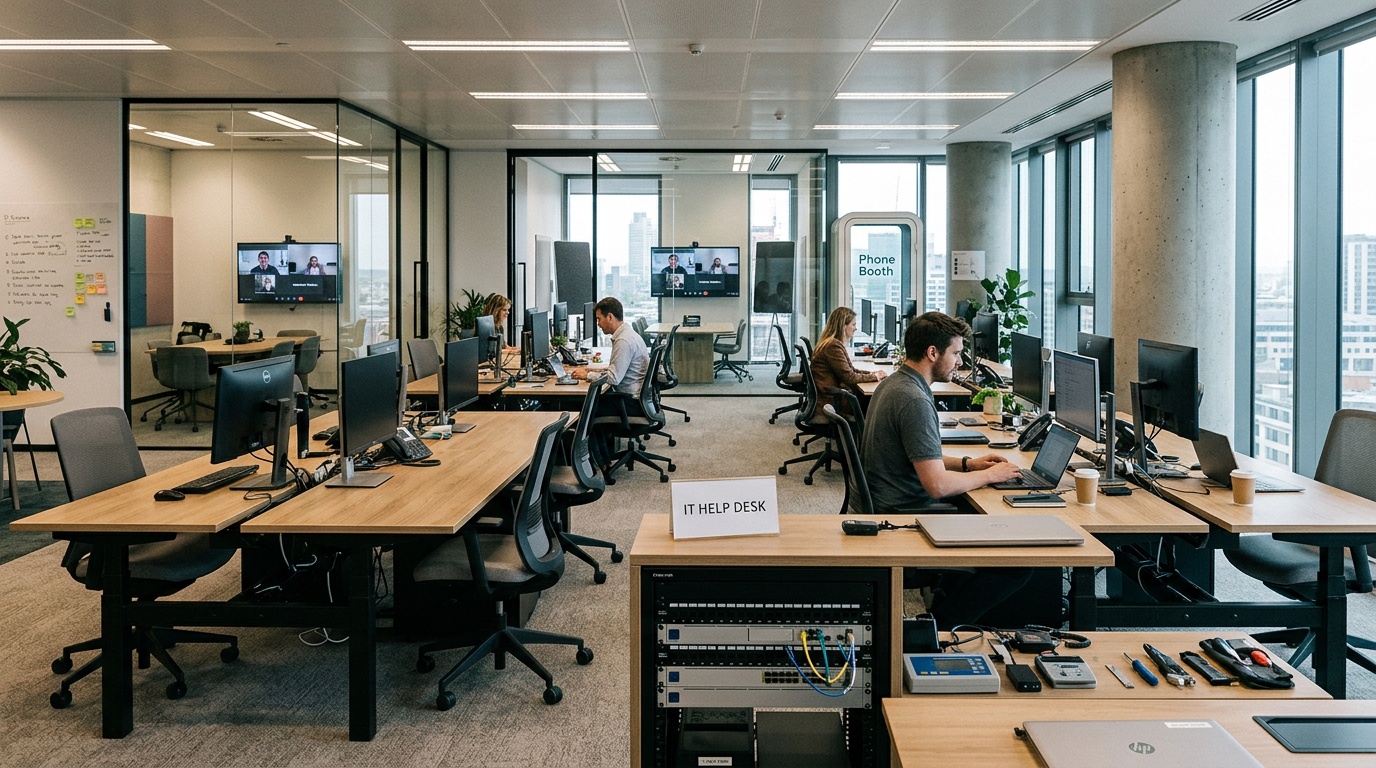
Establishing a resilient and effective IT support system for a hybrid workforce hinges on a solid technology foundation. This involves selecting and implementing tools and platforms designed for distributed environments, moving beyond legacy systems that were built with a physical office in mind. The goal is to create an infrastructure that supports communication, efficient task management, secure access, and proactive problem-solving, regardless of user location. Investing in the right technological components directly impacts an organization’s ability to maintain productivity, protect sensitive data, and ensure a positive employee experience in this new era of work. Without this foundational layer, attempts to adapt IT support will likely fall short, leading to inefficiencies and security vulnerabilities.
Cloud-Based ITSM Tools for Distributed Teams
The backbone of modern IT support, especially for hybrid environments, is a cloud-based IT Service Management (ITSM) platform. These systems centralize incident management, request fulfillment, problem management, and asset tracking, making them accessible from anywhere. Unlike on-premise solutions that might require VPN access or have limited reach, cloud ITSM tools offer universal accessibility for IT staff and employees alike. This ensures that ticket submissions, updates, and resolutions can occur in real-time, irrespective of an employee’s geographic location or time zone. Such platforms provide the necessary structure to manage workflows, track service level agreements (SLAs), and maintain an organized record of IT activities, which is particularly important when support is not physically co-located with the user.
Key functionalities within cloud ITSM solutions include automated ticket routing, knowledge base integration, and self-service portals. Automated routing ensures that issues are directed to the appropriate support personnel swiftly, minimizing delays. A comprehensive knowledge base empowers employees to find answers to common questions independently, reducing the volume of routine tickets. This self-service capability is indispensable for hybrid teams, as it allows users to resolve issues without direct IT intervention, fostering autonomy and efficiency. Gartner notes that companies investing in modern IT support tools can see a significant reduction in employee downtime, a direct benefit of these cloud-based systems. The scalability and flexibility of ITSM platforms in the cloud are essential for organizations whose workforce composition fluctuates or expands across diverse locations.
Unified Communications and Collaboration Platforms
Effective communication is the lifeblood of any organization, but for hybrid teams, it requires specialized platforms that bridge physical distances. Unified Communications and Collaboration (UCC) tools integrate various communication channels. Such as instant messaging, video conferencing, voice calls, and file sharing. Into a single, cohesive experience. Platforms like Microsoft Teams, Slack, or Zoom are no longer just communication tools; they are components of the IT support infrastructure. They enable IT teams to interact with employees instantly, conduct remote troubleshooting sessions via screen sharing, and foster a sense of connection that combats the isolation of remote work. The ability to conduct quick huddles, complex video calls, or simple text-based queries from anywhere is fundamental to keeping distributed teams aligned and productive.
These UCC platforms also serve as conduits for IT support delivery. IT personnel can use them to disseminate important updates, provide instant assistance, or guide users through complex procedures. A support agent can initiate a video call with a user to visually diagnose a hardware issue or walk them through software configuration steps. Also, integrations between UCC platforms and ITSM tools can streamline workflows, allowing users to submit IT requests directly from their chat interface or receive notifications about ticket status. This integration reduces context-switching for employees and ensures that IT support is readily accessible within the tools they use daily, making it easier to keep hybrid employees connected and supported.
Device Management and Remote Onboarding
Managing a fleet of devices for a hybrid workforce presents a significant challenge, especially when endpoints are no longer confined to the office. Organizations must adopt device management strategies that encompass provisioning, configuration, security patching, and ongoing maintenance for laptops, smartphones, and other peripherals used by employees at home or in other remote locations. Mobile Device Management (MDM) and Unified Endpoint Management (UEM) solutions are critical here. These technologies allow IT administrators to remotely manage, secure, and deploy applications to devices, regardless of their physical location. This capability is essential for ensuring that all company-issued devices comply with security policies and are equipped with the necessary software to perform their functions effectively.
Remote onboarding is another area where effective device management is paramount. Traditionally, new employees would receive their equipment and setup assistance in person. In a hybrid model, this process must be streamlined for remote hires. This might involve shipping pre-configured devices directly to employees’ homes, coupled with digital onboarding portals that guide them through initial setup, software installation, and access to company resources. The process needs to be intuitive and supported by clear documentation or virtual IT assistance to ensure a smooth transition. A UEM solution can automate the deployment of essential security software and company applications upon the device’s first connection to the network, greatly simplifying the remote onboarding experience and reducing the strain on IT support resources.
Cybersecurity Across Every Location
The expansion of the workforce beyond the traditional office perimeter dramatically expands the attack surface for cyber threats. Adapting IT support for hybrid employees necessitates a comprehensive cybersecurity strategy that doesn’t assume a secure, controlled network environment. Employees working from home may use less secure Wi-Fi networks, share devices with family members, or be more susceptible to phishing attacks due to a different work context. Securing these distributed endpoints and the data they access is a top priority. Implementing multi-factor authentication (MFA) for all critical applications is a baseline requirement, adding an essential layer of security beyond simple passwords.
Beyond MFA, organizations must deploy endpoint detection and response (EDR) solutions on all devices, whether company-issued or personal (if BYOD policies are in place). EDR tools provide advanced threat detection, investigation, and response capabilities directly on the endpoint. Virtual Private Networks (VPNs) or secure access service edge (SASE) solutions are also indispensable for encrypting traffic and securing connections to company resources. Regular security awareness training tailored to the risks of remote work is equally important. This training should cover topics such as identifying phishing attempts, securing home networks, and understanding data protection protocols. By embedding security into the fabric of hybrid work support, organizations can significantly mitigate the risks associated with a dispersed workforce.
| Category | Core Functionality | Benefit for Hybrid Teams | Considerations |
|---|---|---|---|
| Cloud ITSM Platforms (e.g., ServiceNow, Jira Service Management) |
Incident, request, asset management; knowledge base; automated ticketing; SLA tracking. | Centralized support operations accessible from anywhere; improved resolution times; self-service options reduce IT burden. | Integration capabilities; user-friendliness for employees; scalability; cost structure. |
| Unified Communications & Collaboration (UCC) (e.g., Microsoft Teams, Slack, Zoom) |
Instant messaging, video conferencing, voice calls, file sharing, presence indicators. | Facilitates real-time communication and collaboration; enables remote troubleshooting and user support; fosters team connection. | Integration with other tools; user adoption; security features; platform reliability. |
| Endpoint Management (MDM/UEM) (e.g., Intune, Workspace ONE) |
Remote device provisioning, configuration, security policy enforcement, application deployment, inventory management. | Ensures device security and compliance across distributed locations; simplifies remote onboarding and device updates; centralizes control. | Compatibility with device types; policy management flexibility; reporting capabilities; cost. |
| Cybersecurity Tools (e.g., MFA, EDR, VPN/SASE) |
Multi-factor authentication, endpoint threat detection, secure network access, data encryption. | Protects distributed endpoints and data; mitigates risks from unsecured networks; maintains compliance. | Ease of deployment; user experience impact; threat intelligence quality; vendor support. |
Scaling IT Support Strategically Without Scaling Cost
Automation as a Scaling Lever
Automation plays a significant role in adapting IT support for hybrid employees by reducing repetitive tasks and streamlining workflows. Common issues such as password resets, software updates, or routine troubleshooting can be handled through automated systems like AI-powered chatbots and self-service portals. This not only accelerates resolution times but also frees up IT staff to focus on complex problems that require human intervention. As companies scale across locations, automation ensures that support remains consistent without the need to proportionally increase headcount or overhead.
Beyond ticket handling, automation tools can proactively monitor system health and user activity, triggering alerts before issues impact employees. This shift from reactive to proactive support reduces downtime and improves user satisfaction. Gartner’s research highlights that enterprises adopting automation in their IT service management see a 30% reduction in employee downtime, which translates directly to better productivity and lower operational costs.
Cost Management and Budgeting for Hybrid IT
Managing costs while adapting IT support for hybrid employees requires a strategic approach to budgeting that accounts for fluctuating workforce needs. Unlike traditional fixed office setups, hybrid workforces often vary in size and distribution, meaning IT expenditures must be flexible and scalable. Organizations should prioritize investments in cloud-based infrastructure, which offers pay-as-you-go models and avoids upfront capital expenses on hardware and software licenses.
Additionally, careful vendor selection and contract negotiation can secure favorable terms for device procurement, software subscriptions, and security solutions. Tracking support metrics such as ticket volume per location and average resolution time helps identify inefficiencies and justify budget adjustments. By aligning IT spending with actual usage patterns and employee distribution, companies avoid unnecessary overhead and optimize resource allocation. This approach reinforces IT support as a value driver rather than a cost center.
Training Employees on Hybrid Tools and Security Practices
Training is a critical component of adapting IT support for hybrid employees, directly impacting both security posture and service demand. Educating employees on the effective use of collaboration platforms, device management tools, and security protocols reduces the frequency of avoidable support requests. Well-informed users can address minor issues independently, easing the burden on IT teams and maintaining workflow continuity.
Security training tailored for remote and hybrid work environments is equally important. Employees must understand risks related to unsecured networks, phishing attacks, and data protection best practices. Regular awareness programs, combined with accessible online resources, establish a culture of vigilance. This proactive stance helps prevent breaches and minimizes costly incidents. Ultimately, investing in comprehensive training supports a sustainable hybrid IT support model that balances employee empowerment with organizational security needs.
Key Insight: Effective scaling of IT support for hybrid employees hinges on automation to reduce repetitive workloads, flexible budgeting aligned with workforce dynamics, and targeted training that empowers users while safeguarding the organization.
Frequently Asked Questions
What is the biggest challenge in adapting IT support for hybrid employees?
The biggest challenge in adapting IT support for hybrid employees is moving from a location-centric model to a user-centric one. Traditional IT support was built for a single office where issues could be resolved by walking down the hall. Now IT teams must guarantee consistent service, security, and responsiveness whether an employee works from home, a coffee shop, or a coworking space.
How does hybrid work change the role of the IT help desk?
Hybrid work forces the IT help desk to shift from a centralized hub-and-spoke model to a distributed support framework. Employees no longer have physical access to technicians for troubleshooting or hardware deployment. IT teams must adopt remote troubleshooting tools and virtual assistance capabilities to deliver consistent service across all locations.
What technology foundation is needed for hybrid IT support?
A cloud-based IT Service Management (ITSM) platform is the backbone for hybrid IT support. These systems centralize incident management, request fulfillment, and asset tracking for distributed teams. The goal is creating infrastructure that supports communication, secure access, and proactive problem-solving regardless of where employees work.
How can IT teams guarantee the same support quality for remote and office employees?
IT teams can guarantee equal support quality by adopting tools and methodologies designed for distributed environments. Cloud-based ITSM platforms enable remote troubleshooting, virtual assistance, and proactive device management. This creates consistent experiences whether an employee is at a kitchen table or in a designated workspace.
What security questions do hybrid IT teams need to answer?
Hybrid IT teams must ask how to maintain cybersecurity when the network perimeter extends beyond office walls to home networks and public Wi-Fi. They also need to address how to provision, manage, and secure diverse devices including personal ones used by employees. These questions form the basis of a successful hybrid support strategy.
How does a hybrid work model affect employee productivity?
A hybrid work model affects productivity directly through the quality of IT support employees receive. Friction arises from logistical hurdles and the social cost of starting over in every new environment. Creating consistent infrastructure that travels with the employee helps maintain performance without requiring a reset of essential services.
What does a user-centric IT support model look like for hybrid teams?
A user-centric IT support model prioritizes consistent access and responsiveness over physical proximity. It shifts from reacting to issues in a controlled office to anticipating problems in diverse, less controlled settings. The focus is on equipping employees with resources for independent troubleshooting while maintaining centralized expertise for complex needs.
Leave a Reply